
NxSphere® DEX
Legacy machine automation without source code changes.
Product Overview
NxSphere® DEX (formerly known as SecsToDEX.NET) transforms isolated legacy tools into smart, connected equipment using non-intrusive OCR and RPA technology. It captures data directly from the machine’s GUI (via VGA/DVI) and emulates operator actions through mouse/keyboard control to automate workflows safely, without modifying the controller.
DEX allows factories to enable host connectivity, automate lot handling, validate recipes, and report real-time machine states—all without risky retrofits or software changes. It offers a cost-effective path to digitalization and even provides SECS/GEM upgrade capability when needed.
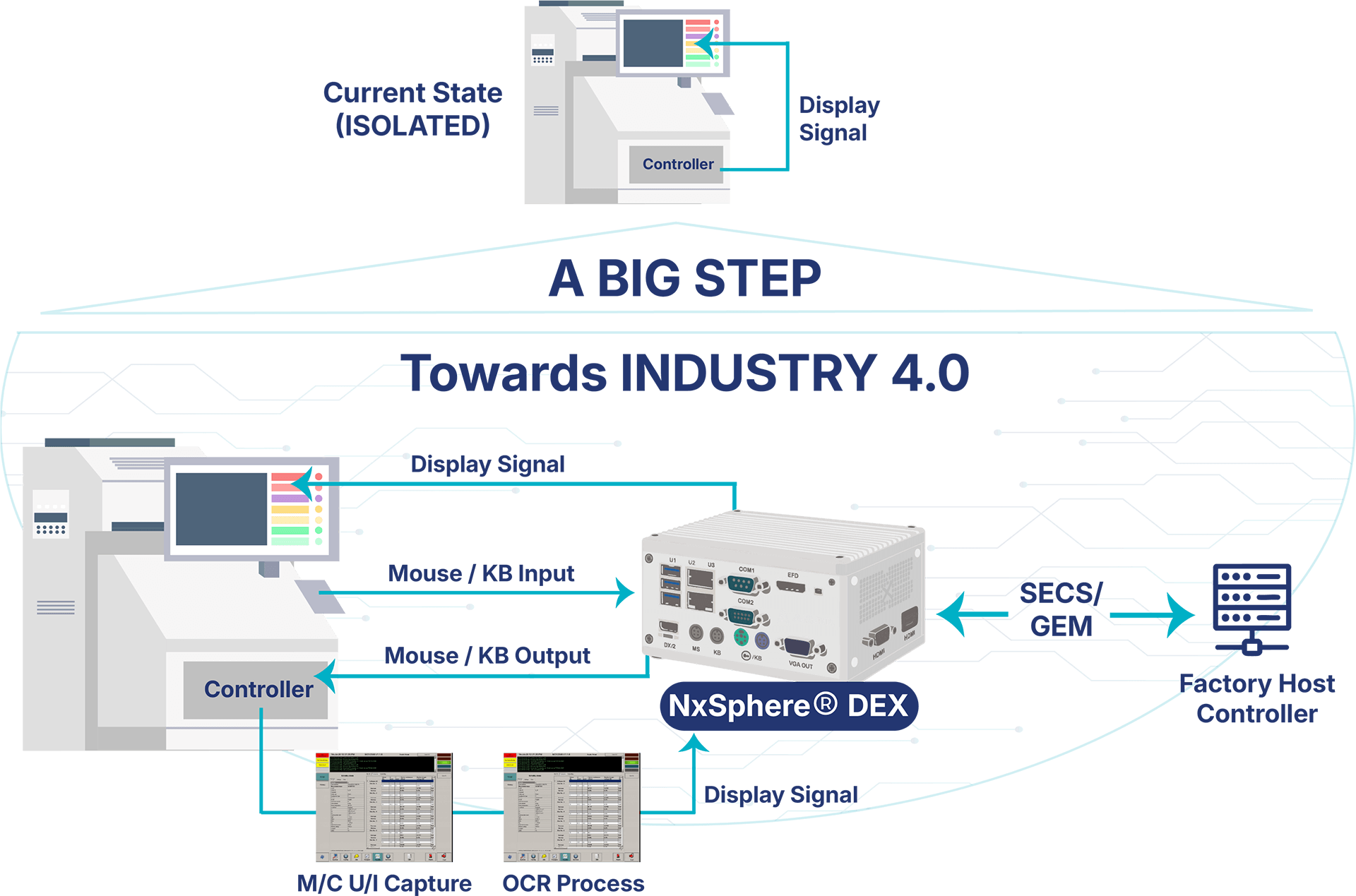
Legacy Equipment Automation Architecture
Non-intrusive OCR/RPA workflow for converting isolated machines into host-connected equipment.
Key Features
1
Non-invasive Data Capture – Capture data via VGA or DVI interfaces.
2
Real-time Reporting – Monitor machine status and data reporting in real-time.
3
Automated Workflow – Automate lot validation and recipe selection from the host system.
4
Seamless Upgrades – Provides a SECS/GEM upgrade path without controller changes.
5
Compact Hardware – Industrial-grade hardware platform for harsh environments.
Customer Benefits
1
Risk Mitigation – Avoid risky hardware and software changes on the machine controller.
2
Enhanced Workflow Automation – Trigger automation based on live machine states (e.g., automated material handling via AGV calls).
3
Data Integrity – Eliminate manual input errors and ensure robust data integrity through automated capture.
4
Rapid Connectivity – Enable host connectivity quickly and safely using standard protocols (VGA, DVI, HSMS, RS232, etc.).
5
Cost Efficiency – Extend the lifespan of existing equipment at a fraction of the replacement cost.
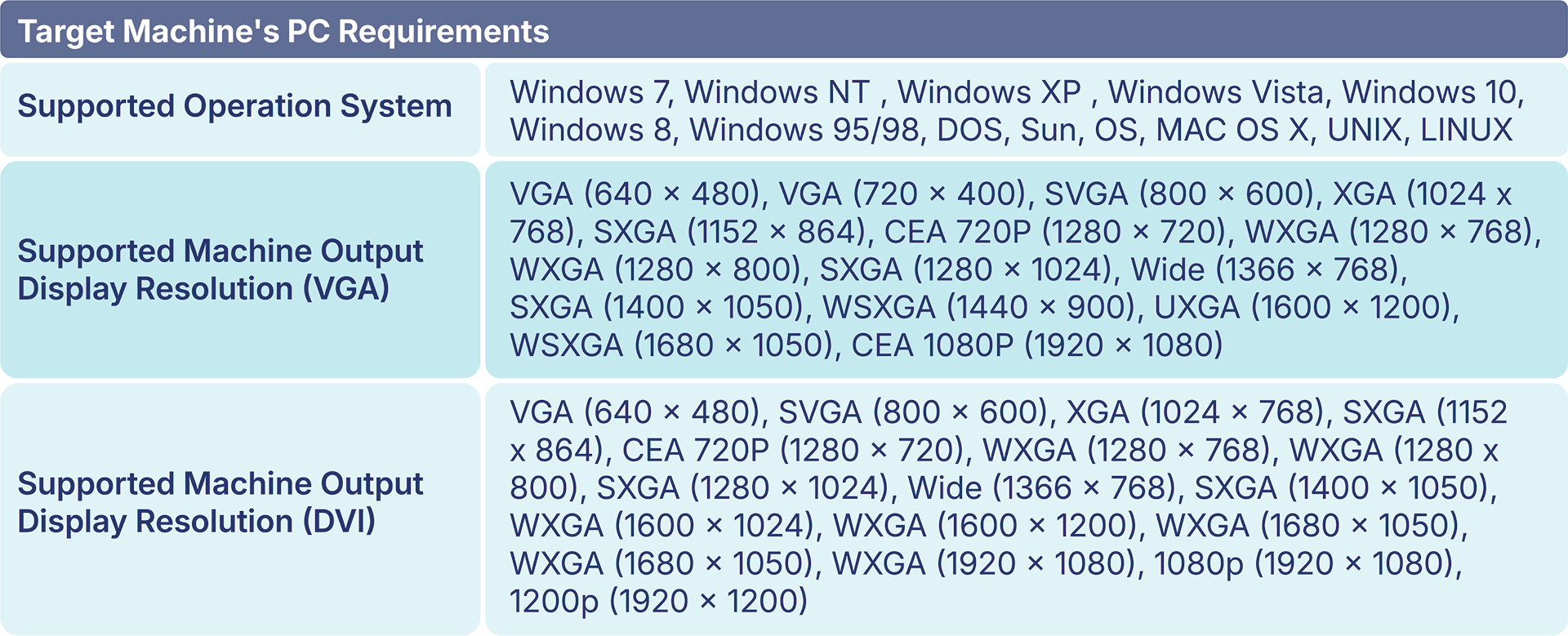
Pre-Requisites for Target Machine
1
Video Output: VGA or DVI port to capture the machine GUI or HMI display.
2
Control Input: Standard input interface such as Mouse, Keyboard, or Touchscreen (via Serial, PS/2, or USB) to allow NxSphere® DEX to emulate operator actions.
3
Machine UI/HMI: The process data, status, and recipe information to be captured must be visible and accessible on the machine’s user interface.
Learn More About NxSphere® DEX
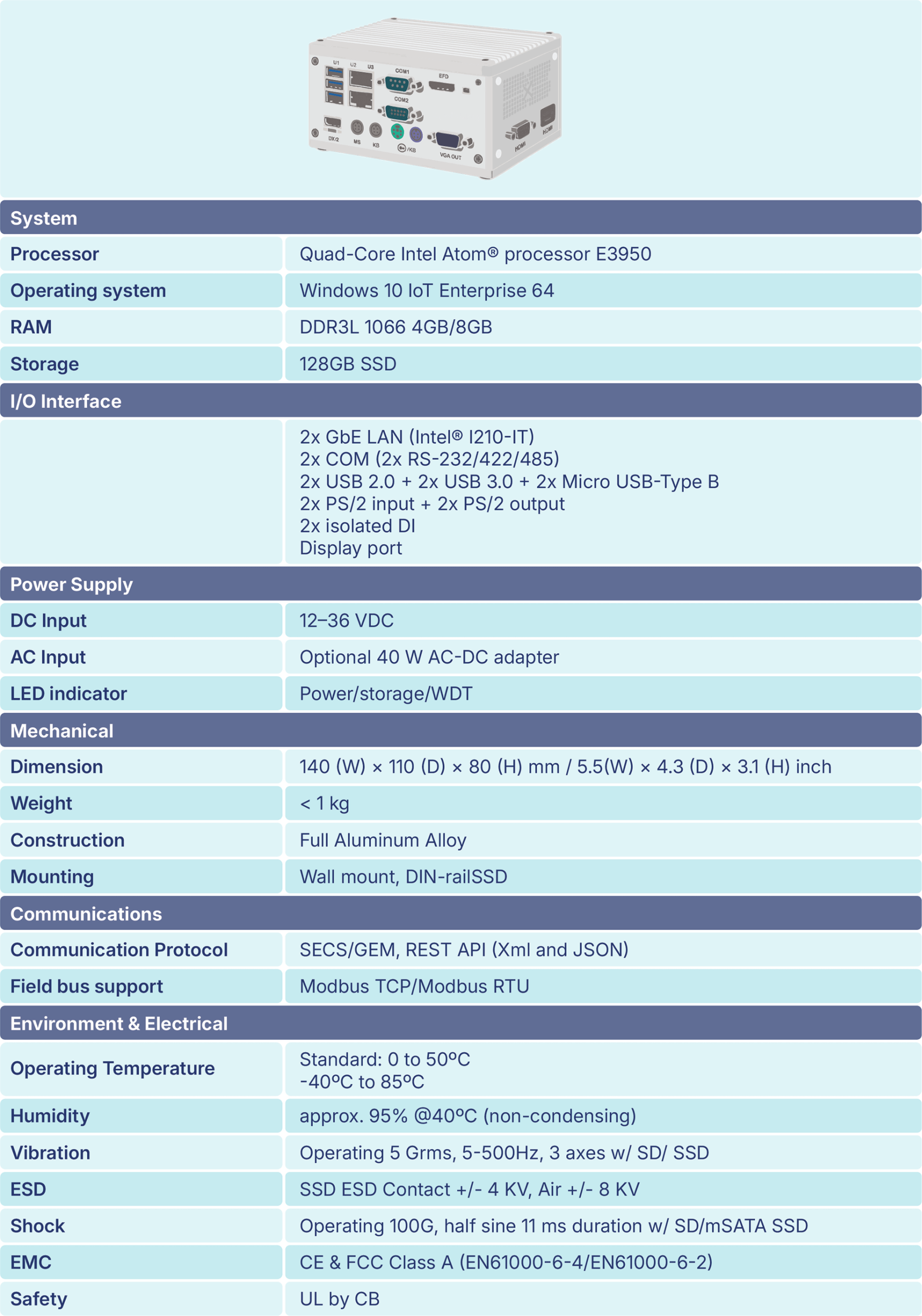
Technical Specifications
Supported SEMI Standards
Your Trusted Worldwide Partner for SECS/GEM Integration
Get in Touch